
Any league. Read-only. Here's exactly how.
Fantasy Memo reads your league; it never writes to it. Sleeper takes a username. Yahoo takes a league id. ESPN takes two cookies from your browser once, and this page shows you precisely where they are. Anything else takes a pasted roster or a screenshot. Choose Basketball on the connect page first, or start from basketball.fantasymemo.com and it is chosen for you.
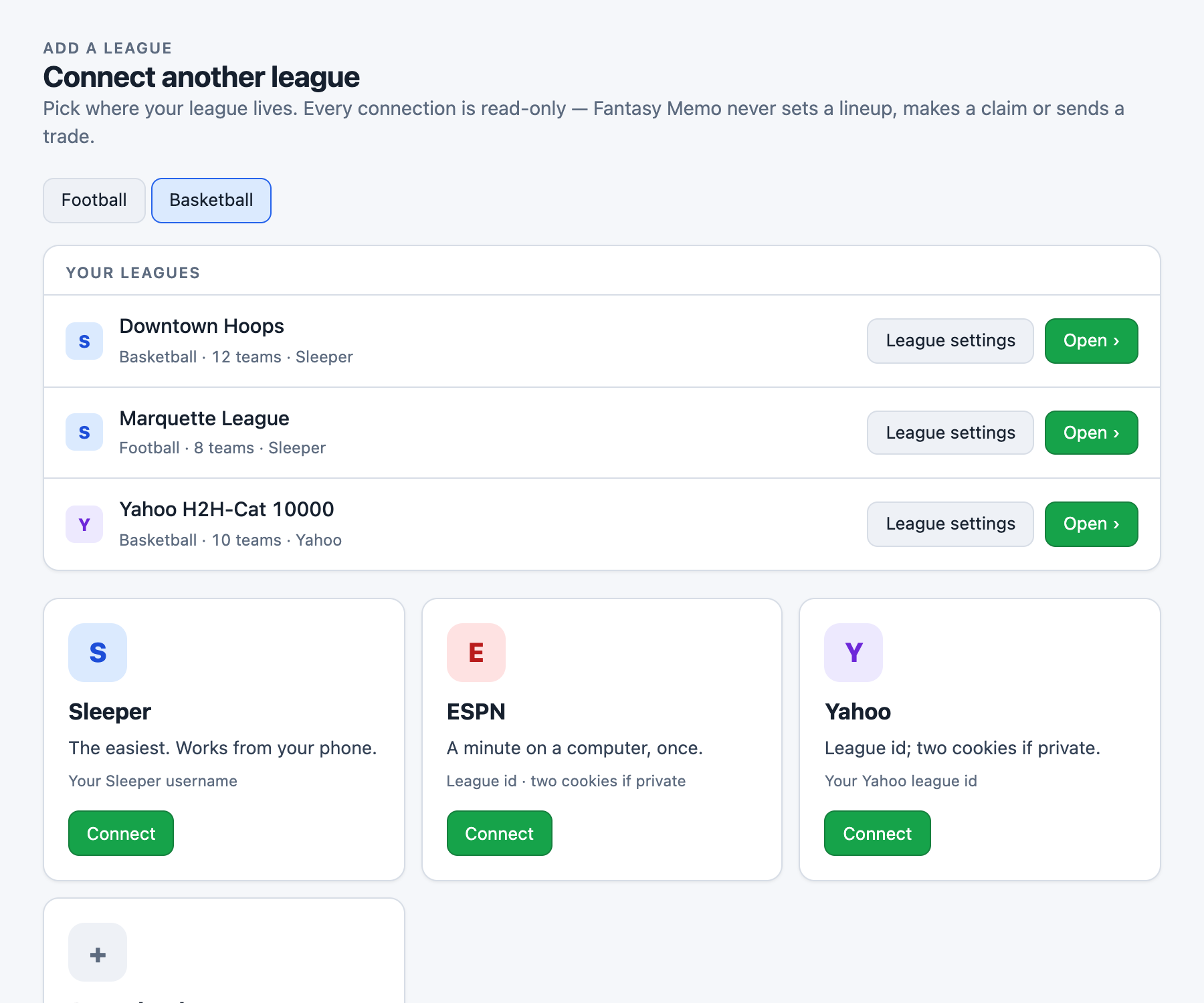
None of it starts until a league is connected: it is the only setup there is. Read-only on every platform: Fantasy Memo never sets a lineup, makes a claim or sends a trade.
Sleeper: about thirty seconds, from your phone
Sleeper publishes league data openly, so all Fantasy Memo needs is your username, not your email, not your password.
- 1Find your username. In the Sleeper app, tap your avatar (top-left): it is the name under your display name, without the @. On the web it is in the URL:
sleeper.com/leagues/…after signing in, or on your profile page. - 2In Fantasy Memo, choose Sleeper, type the username, and pick your league from the list it finds. Football and basketball leagues are told apart automatically: the app reads the sport from the league itself.
- 3Confirm which team is yours: Fantasy Memo usually knows, because the username tells it. Your first memo builds in about twenty seconds.
Draft day: Sleeper draft rooms are followed live. Open Draft mode → From my league → Live and every pick lands on the board as it is made.
ESPN does not offer fantasy apps an official way to connect. Every third-party tool that reads an ESPN league (ours included), has to do it the way you are about to, by borrowing your own signed-in session. We know it is a chore the first time, and we are sorry you have to do it. It is a one-time job on a computer: about two minutes all in, and seconds if your league is public. This page walks you through every click, and the moment ESPN opens a proper door we will use it. Until then, this is how it works for us and for everyone else.
Is your league public or private?
A public league can be viewed by anyone with the link, signed in or not: it connects with just the league ID. A private league can only be seen by its members: it needs the two cookies below. Most ESPN leagues are private; it is the default when a league is created.
Public: anyone with the link can see the league without signing in; the id alone connects it. Private: members only, and Yahoo's default. The easiest fix is one commissioner setting; failing that, two cookies from your signed-in Yahoo tab, or paste your roster instead. Not sure? The app offers a thirty-second test: open the league address in a private window without signing in, rosters visible means public, a sign-in prompt means private.
Public league: the id alone
- 1Choose Public. The league id field appears.
- 2The id is the number at the end of your league's address:
basketball.fantasysports.yahoo.com/nba/123456. Enter it, press Find league, pick your team. Done, every roster in the league is read, so the league read, the matchup and trades all work.
Private league: the one-setting fix
Before the cookies, try this: in Yahoo, League → Settings (commissioners see Commissioner → Edit League Settings) → Make League Publicly Viewable → Yes. One person changes it once and every member connects with the league id alone, on any device.
What it changes: team names and display names, rosters, transactions, standings and the draft become visible to anyone with the address, as does the message board, if you use one. What it does not change: email addresses and account details are never exposed either way, and nobody outside the league can join, set a lineup, claim a player or post. It is read-only to outsiders, there is no directory of public leagues, and the commissioner can switch it back at any time.
Private league: cookies first, then the id
- 1Choose Private. Two boxes appear, labeled
YandT: the league id field waits until they are filled. - 2In a signed-in Yahoo tab open developer tools (⌥+⌘+Ihold all three down at the same time on a Mac, F12 on Windows), then Application (Chrome/Edge) or Storage (Safari/Firefox) → Cookies →
yahoo.com. - 3Copy the value of the cookie named
Y, paste it into the Y box; then copyTand paste it into the T box: one at a time, the clipboard holds one thing. Save cookies. - 4The league id field appears. Enter the id, Find league, pick your team.
Rather not copy cookies? Paste my roster instead on the same panel (copy your roster or upload a screenshot), gets you everything about your own team, without the league-wide read or trades. Our official Yahoo sign-in is submitted for Yahoo's review; when approved it replaces the cookies.
Paste or screenshot: any league at all
- 1In the app choose Any other league (or Paste my roster instead on Yahoo). Give the league a name, set the number of teams, the scoring and the starting slots: presets for Sleeper, Yahoo and ESPN defaults, 9-cat or points.
- 2Paste your roster, one player per line, or give it a screenshot of your roster page and the names are read for you. The screenshot box takes an image three ways: drag and drop it onto the box, click to choose a file, or paste an image from the clipboard (on a Mac, ⌃⌘⇧4 puts a screenshot straight on the clipboard). Slot labels, “LAL - PG”, injury tags and projections can come along; names are what matter.
- 3Optional, for the matchup: add this week's opponent. Paste their roster, or drop a screenshot of their team page onto the opponent's own box, a screenshot of the matchup page works for both sides at once, and their side is picked out.
- 4Press Check the names: you see exactly what matched and what did not, and can fix a spelling before anything is saved. Then Connect this league.
- 5After a move, Update roster on the Roster page: paste or screenshot again, yours and the new week's opponent. Got the scoring, slots or format wrong? League settings, on the Roster page and beside each league on the connect page.
Paste or screenshot: any league at all
- 1In the app choose Any other league (or Paste my roster instead on Yahoo). Give the league a name, set the number of teams, the scoring and the starting slots: presets for Sleeper, Yahoo and ESPN defaults, 9-cat or points.
- 2Paste your roster, one player per line, or give it a screenshot of your roster page and the names are read for you. The screenshot box takes an image three ways: drag and drop it onto the box, click to choose a file, or paste an image from the clipboard (on a Mac, ⌃⌘⇧4 puts a screenshot straight on the clipboard). Slot labels, “LAL - PG”, injury tags and projections can come along; names are what matter.
- 3Optional, for the matchup: add this week's opponent. Paste their roster, or drop a screenshot of their team page onto the opponent's own box, a screenshot of the matchup page works for both sides at once, and their side is picked out.
- 4Press Check the names: you see exactly what matched and what did not, and can fix a spelling before anything is saved. Then Connect this league.
- 5After a move, Update roster on the Roster page: paste or screenshot again, yours and the new week's opponent. Got the scoring, slots or format wrong? League settings, on the Roster page and beside each league on the connect page.
It reads what kind of league it is, and scores like it.
Scoring and lineup mode are read from the platform and set by hand for a pasted league (League settings).
9-cat, 8-cat or your own set, most-categories or each-category. Every category projected for the week from both sides' starters times their games.
No opponent: your standing in every category against the whole league, with the gap up and down, so a move is valued by the places it buys.
Your points-per-stat on the same per-game lines. The matchup is a ratio; the board and the memo value scoring volume the way your league does.
Sleeper locks the week; Yahoo and ESPN set nightly. Streams, the checks and the Daily Memo all follow from which it is.
Two opponents in a week and the league-median game are read from the schedule. Keepers are never proposed as drops; IL and IL+ players stay out of every lineup.
Questions
Is it safe to paste my ESPN cookies?
The two cookies are your own signed-in session, the same thing your browser sends ESPN on every page. Fantasy Memo stores them encrypted (AES-256, keyed on the server), uses them only to read your league, and never writes to it. Sign out of ESPN everywhere and they stop working; disconnect the league in the app and they are deleted.
Which sport does the app think my league is?
Sleeper says so on the league itself; the app reads it. Yahoo and ESPN leagues are looked up in the sport you have selected: the Basketball tab on the connect page, or basketball.fantasymemo.com. One account holds leagues in both sports; the switcher groups them.
My league uses categories. Does the app read which ones?
From Yahoo, yes: the stat categories and whether it is H2H or roto. ESPN's categories are read from the scoring settings. Sleeper's NBA leagues are points-scored by default and the points-per-stat are read as set. A pasted league takes a preset (9-cat, 8-cat, points) you can edit in League settings.
Weekly or daily lineups: does it matter?
It changes everything downstream, so it is read carefully: Sleeper leagues lock for the week; Yahoo and ESPN set daily. A weekly league gets one lineup, checks on Wednesday and Friday, and streams phrased for next week once this one is locked. A daily league gets a lineup per game night, a nightly check, and the Daily Memo add-on if you want the note written.
Does it ever change anything in my league?
No, on any platform. Every connection is read-only. It cannot set a lineup, make a claim or send a trade: it tells you what to do and you do it.
Can I connect from my phone?
Sleeper and Yahoo (by pasting your roster), yes, and any other platform the same way. ESPN needs a desktop browser once, to copy the cookies; after that the app works anywhere.